Surround Speaker Check Reimagines Mission: Impossible Theme for Dolby Atmos
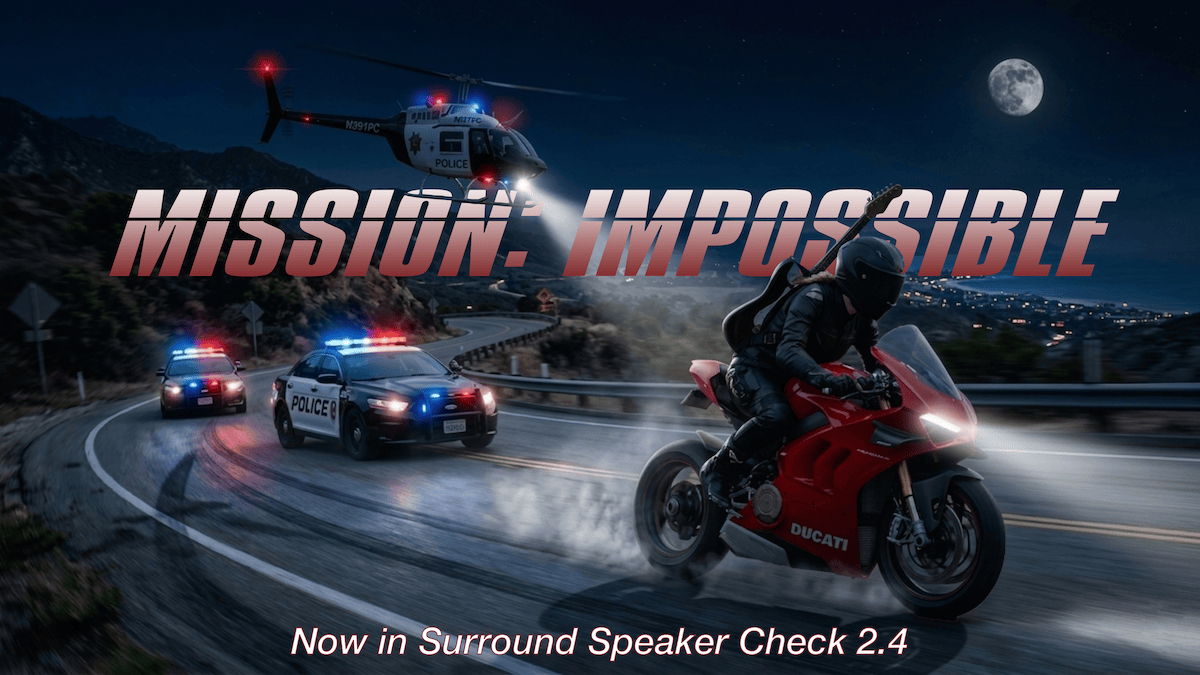
As part of a recent version 2.4 update, Surround Speaker Check has added support for audio-only tracks that stream just like Apple Music songs. This paves the way for a cover of the iconic Mission: Impossible theme, an epic Dolby Atmos music demo featuring a split-theme mix and a high-speed chase with a police helicopter.
The update also introduces a new way to experience music by supporting alternate audio tracks in a streaming song. For the Mission: Impossible theme, this means listeners can hear the full mix or switch in real time between the front and surround themes, right in their own home theater.
An epic Dolby Atmos music demo that pairs a split-theme mix with a high-speed chase, complete with a police helicopter thundering overhead
A companion Spatial Lab episode walks through the production behind my cover and shows how to access the alternate tracks. Here’s a closer look at how the track came together.
A Split-Theme Mix for Spatial Audio
While working on the song, I landed on what I’m calling a “split-theme arrangement.” Guitars and drums drive the front wall of speakers, while classic synths, horns, and orchestral strings fill out the surrounds. Now in a typical Spatial Lab episode, I might isolate these themes for playback in Dolby Atmos right in the video. However, with the Mission Impossible track, you’ll be able to isolate and explore each of the themes on your own using the new alternate audio tracks feature we’ll talk about shortly.
The Lead Melody: One Performance, Two Worlds
Although the instrumentation is split between the front stage and the surround environment, the main melody lives in both. I perform it on lead guitar up front, while a digitized copy of that same performance feeds a classic synth in the rear speakers. The split melody is a common thread that ties the two themes together.
Once I had the guitar tone locked in, the real challenge was getting the synth to shadow it with the exact same phrasing and timing. To do that, I transcribed the recorded guitar audio to MIDI data, then fed it into a model of a classic 1980s synth which, again, is placed in the surround speakers of the mix.
The Bridge: A Full Chase Sequence in Atmos
The actual Mission: Impossible theme is really short. So if I wanted this cover to go somewhere, I needed a bridge, and I decided not to hold back. I built out a full chase sequence where I imagined our spy hero on a high-performance sports motorcycle, screaming down a highway with police cruisers in hot pursuit. And of course, it wouldn’t be a proper Atmos mix without a police helicopter!
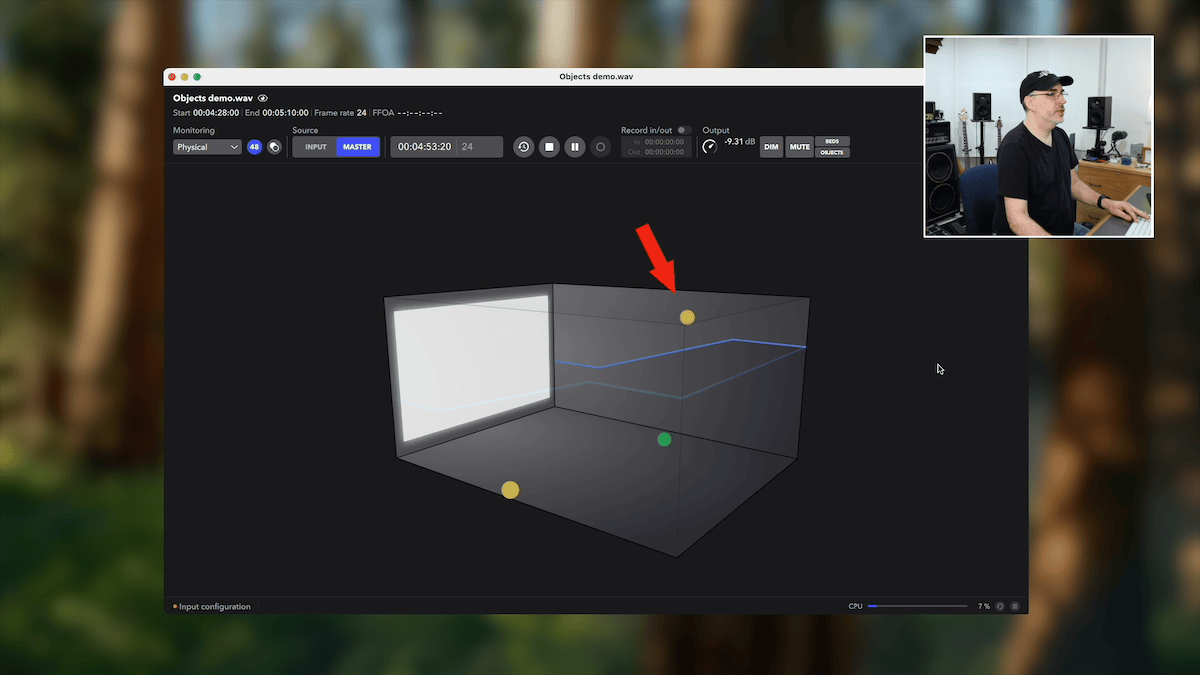
Now I know this isn’t an entirely new concept. After all, vehicle sound effects have been showing up in rock and pop songs for ages, and when researching the topic, I couldn’t believe how many songs have used them. My own chase was inspired by the one in April Wine’s classic rock song “Crash and Burn,” but as a surround sound fanatic, I wanted to use Dolby Atmos to take the idea to the next level. The bridge of my Mission: Impossible cover is a showpiece spatial audio demo: a motorcycle and police cruisers rocket past you, while a helicopter thunders low overhead through the height channels.
Alternate Audio Tracks in a Dolby Atmos Song
While producing the song, I kept soloing the front and surround channels separately to hear how each theme stood on its own. And honestly, I loved listening that way almost as much as the full mix. That sparked the idea: why not let listeners do the same?
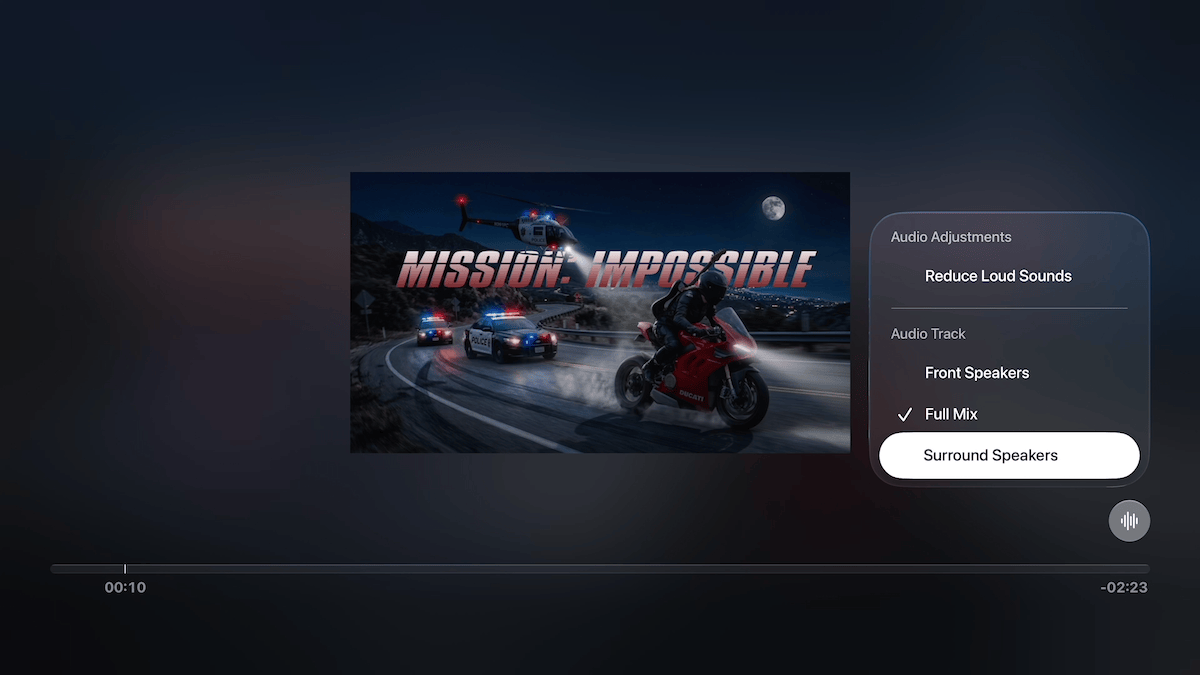
So I updated the app to support alternate audio tracks. When listening to the Mission: Impossible theme in Surround Speaker Check, you can switch between three versions in real time, with no interruption to the audio:
- Full Mix
- Front Speakers
- Surround Speakers
Accessing them is easy:
- Apple TV: Start the song, then swipe up to reveal the subtitle button on screen. The alternate tracks are listed there.
- iOS: Tap the audio control icon on the song page and select the track you want to hear.
- AirPlay to Apple TV: You can also access the alternate tracks from the tvOS onscreen menu using your remote.
What’s Next
The actual Mission: Impossible cover will be posted as the next episode in the Spatial Lab lineup. It will be audio-only and streamed just like an Apple Music track. I’m also considering uploading the track to Apple Music in Dolby Atmos. However, the alternate track functionality, where you can flip between the full mix, the front theme, and the surround theme, just isn’t possible on Apple Music. So that feature will remain exclusive to playback within Surround Speaker Check.
Thanks for reading, and I hope you enjoy my spatial audio cover of the Mission: Impossible theme.
The Mission: Impossible theme song with alternate spatial audio tracks is a free upgrade for subscribers of the Spatial Test Suite, an in-app subscription that unlocks unlimited access to over two hours of Dolby Atmos tests tracks and demo content.
Download Surround Speaker Check 2.4 today on the iOS and tvOS App Stores. (On Apple TV, search for “Surround Speaker Check” in the tvOS App Store)